Android Utility Tool V190.00.0000 (09-09-2025) – Free Download [Latest Update]
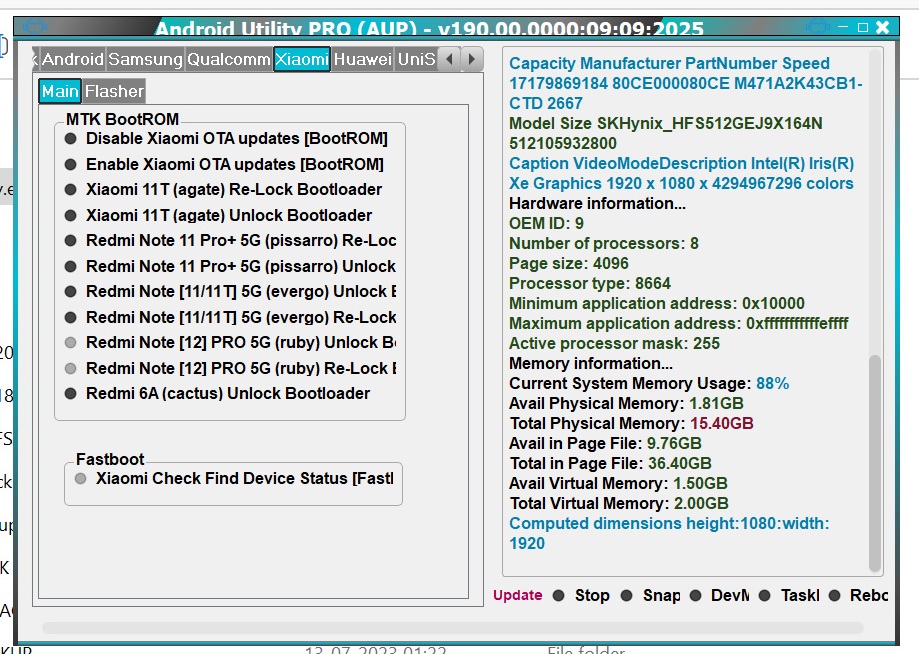
Android Utility Tool Pro new version V190.00.0000 has been released (09 September 2025). This update is important for users running older versions who are receiving a forced update notification. The tool is completely free — no login or smart card/dongle is required.
✨ Key Highlights
- ✅ Version: Android Utility Tool V190.00.0000
- 🔒 Free Access: Lifetime free, no login/dongle
- 🚀 Improvements: Stability fixes + bug patches
- 📱 New Support: Unisoc T820 chipset and many devices
- 📌 Developer: Mofadal Mohammed
📸 Screenshots

⚡ Installation Guide
- Extract the downloaded zip file (to Desktop or C: Drive).
- Open the folder and run AndroidUtility.exe.
- If a smart card error appears, simply ignore it — the tool works without a dongle.
- Connect your device and select the required operation (FRP, Boot Repair, Flashing).
- Done ✅ Your device is ready.
⚠️ Important: This software is intended for educational and servicing purposes only.
Using it for any illegal or unauthorized activity is strictly prohibited.
The authors and publishers are not responsible for any damage or misuse.
📥 Download Android Utility Tool V190
🔽 Download Now (Free & Safe)
File Name: Android Utility Tool 190 (Fix Update Patch)
File Size: 186 MB | Password: mfdl
Free Download – Verified Source
📱 Supported Devices & Brands
- ✔ Motorola Moto G35 (XT2433 Series)
- ✔ ZTE Nubia Focus 5G / Neo 2 / Neo 3
- ✔ Lava Yuva 2 5G, OnePlus 13, Meizu Note 16 Pro
- ✔ Coolpad Grand View Y60 Lite
- ✔ Samsung A03 (A032F/M & A035F/M/G)
- ✔ Infinix, Tecno, Itel (UniSoC devices)
❓ FAQs – Android Utility Tool V190
Q1: Is this tool paid?
➡ No, it is completely free.
Q2: Do I need a dongle or login?
➡ No, lifetime access without dongle or login.
Q3: Does it work on all devices?
➡ It supports most MTK and UniSoC devices (see list above).
Q4: What if an error occurs?
➡ Follow the installation guide or reinstall the compatible driver.