Oppo A3x 5G Hard Reset – Pattern & Password Unlock Guide
If you forgot the pattern or password of your Oppo A3x 5G, don’t worry. This post explains the complete Hard Reset process step by step so you can unlock and use your phone again.
⚠️ Important Notice
- Performing a Hard Reset will erase all data (photos, apps, contacts) from your phone.
- After the reset, the device will ask for the previous Google Account or Oppo ID as part of FRP Lock.
- If you remember your Google Account, you can simply log in to complete the setup.
📌 How to Hard Reset Oppo A3x 5G
Method 1: Using Recovery Mode
-
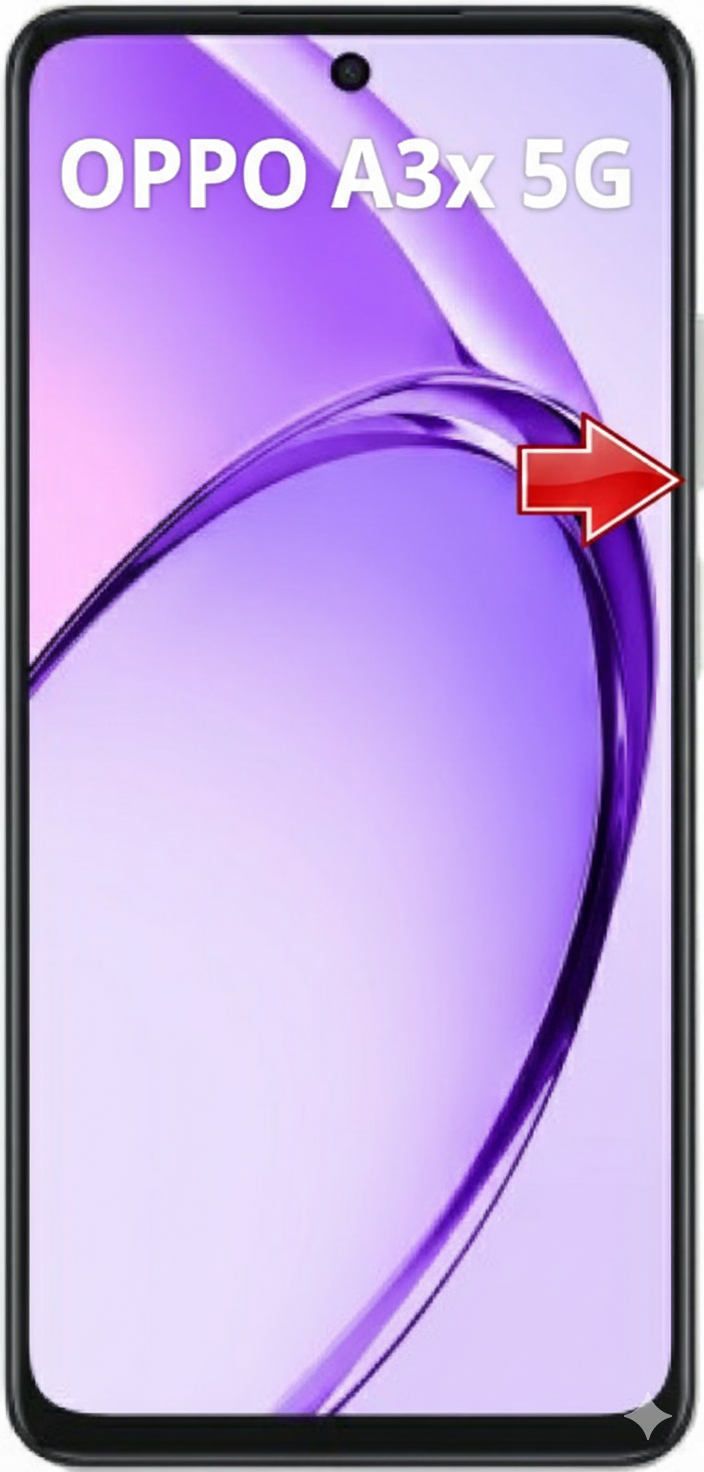
Power off the mobile completely.

-
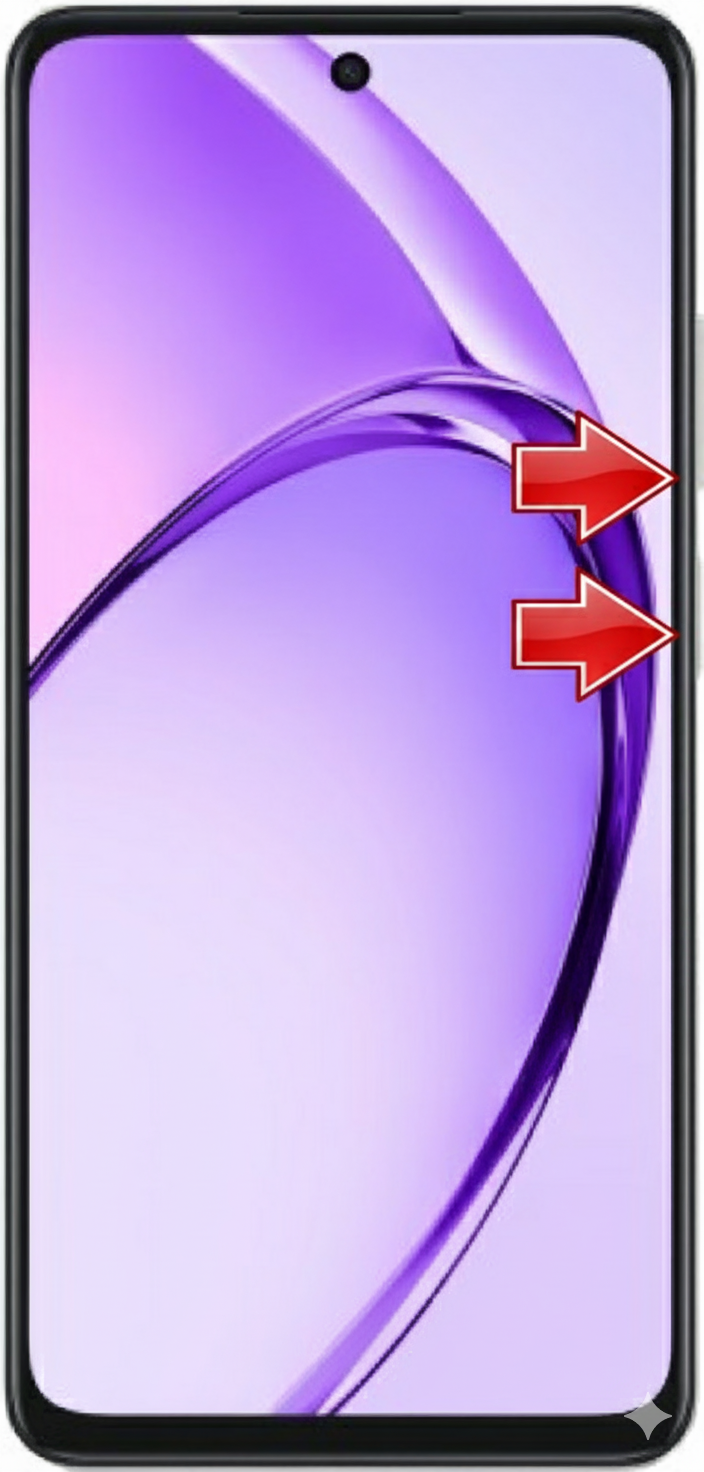
Press and hold Power + Volume Down buttons together.
-
Release the buttons when the Oppo logo appears.

-
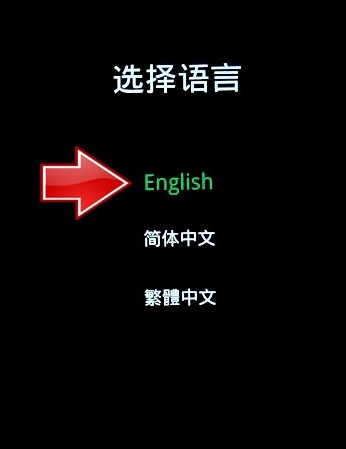
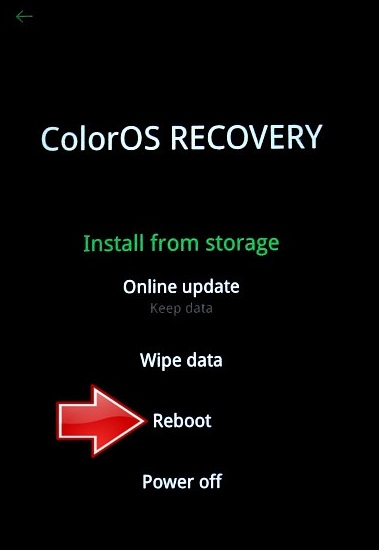
The ColorOS Recovery Mode screen will open.

-
Select English as the language.
-
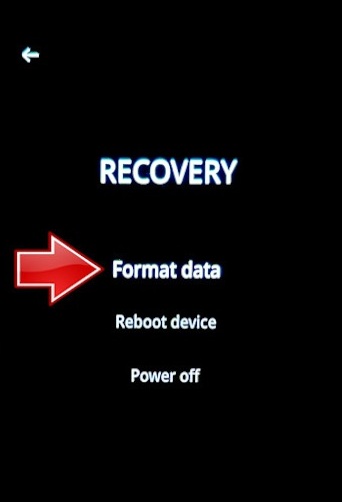
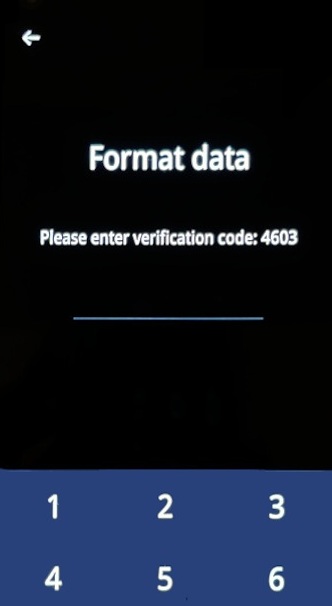
Tap Wipe Data > Format Data.

-
Confirm and wait for the process to complete.

-
After the reset is finished, choose Reboot.


Method 2: From Settings (if phone is accessible)
- Go to Settings > Additional Settings > Back up and Reset.
- Select Erase all data (Factory Reset).
- Confirm to start the reset process.
🎥 Video Guide (AI Generated)
If you prefer to watch the full process in a video tutorial, check out the video below:
✅ Conclusion
Performing an Oppo A3x 5G Hard Reset is simple, but remember that after the reset you must log in with your Google Account or Oppo ID. If you don’t remember the account, the phone will remain FRP locked. In that case, you’ll need to follow the FRP Bypass method.