TFT Unlock Tool 2025 V6.2.1.1 – Free Download [Latest Update]

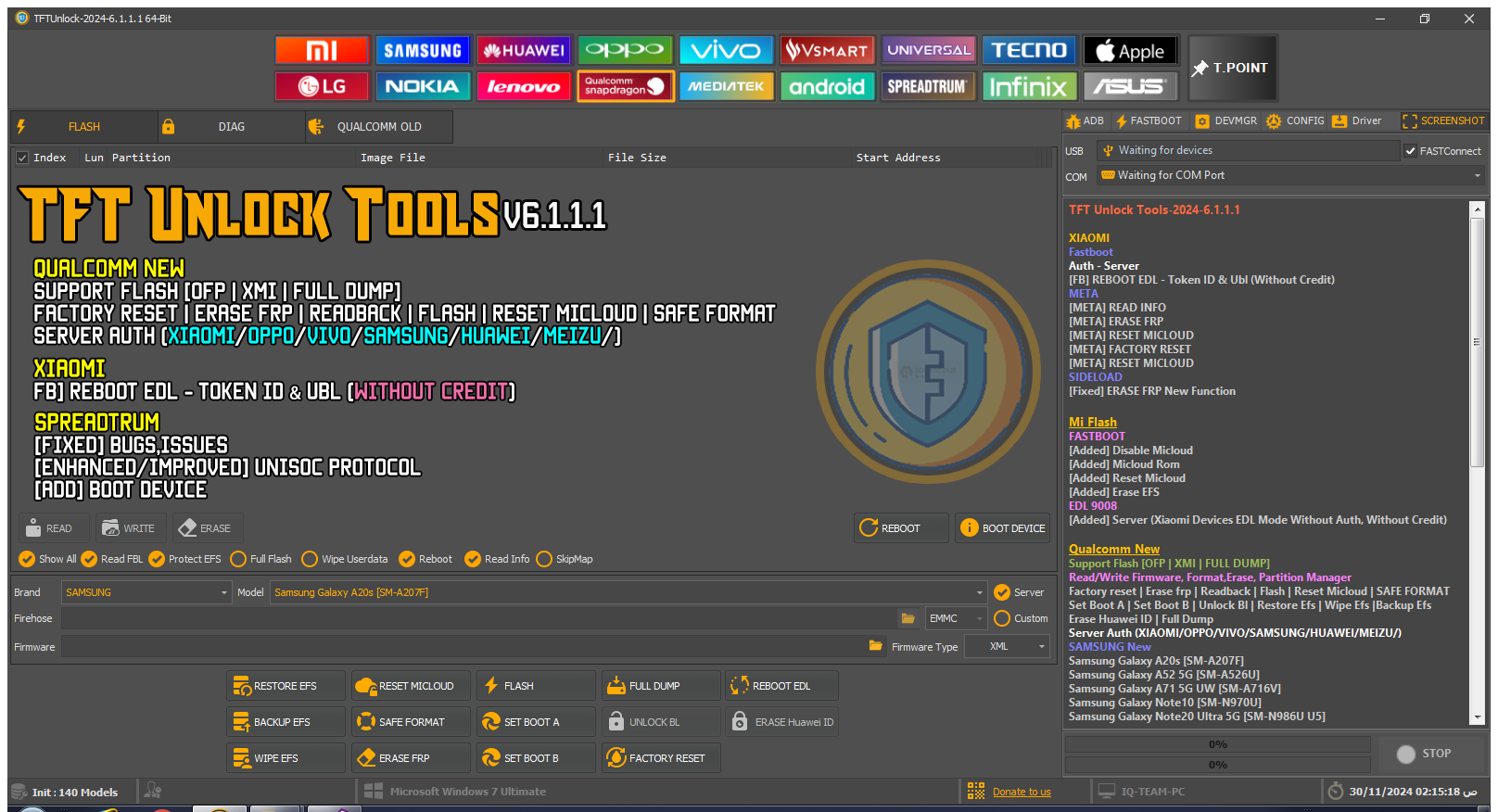
TFT Unlock Tool 2025 (latest build V6.2.1.1) is a powerful utility specially designed for smartphone technicians and advanced users. With this tool you can perform FRP bypass, remove screen locks, reset Mi Accounts, bypass Samsung MDM, disable Knox, and execute many advanced functions completely free. Every update adds new models and brands, making it one of the most widely used tools in the mobile repairing field.
✨ Key Features of TFT Unlock Tool 2025
- ✅ Latest Version: V6.2.1.1 (2025 Release)
- ✅ Wide Device Support: Samsung, Xiaomi, Oppo, Realme, Vivo, Meizu, Infinix, Tecno, Itel, and more
- ✅ Unlock Functions: FRP erase, MiCloud reset, Boot repair, Screen lock removal
- ✅ Qualcomm / MediaTek / Unisoc Support: EDL, BROM, META, Fastboot modes
- ✅ Advanced Security Bypass: Knox disable, MDM bypass, Safe format
- ✅ User Friendly: Simple interface with auto updates
📱 Supported Brands & Models
The latest update adds support for many new devices:
- Samsung: Galaxy A20s, A52 5G, A71 5G, Note10, Note20 Ultra, S21 Ultra, S21 Plus, and S23 Series
- Xiaomi: Mi 10/11 Series, Poco X4 Pro, Redmi Note 11, Redmi 10C with EDL mode auth bypass
- Oppo / Realme: Oppo A3s, Reno Series, Realme 7i, Realme 9/9i/9 SE, Realme Narzo 50 Series
- OnePlus: OnePlus 7 Pro, 8 Pro, 9 Pro, Nord N10/N200
- Meizu: Meizu 16 Series, 17 Pro, 18/18S Pro, M15
- Infinix & Tecno: Infinix Hot 12 Pro, Tecno Spark 8C, Tecno Pova Neo
- Itel: Vision 1 Pro, Vision 2s, A57
- Huawei: FRP & ID erase via BROM/META
⚡ Installation Guide
- First, download the latest version zip file using the button below.
- Extract the file (password: TFT).
- Open the folder and run TFTUnlock.exe.
- Connect your device via USB and select the correct mode (ADB, EDL, Fastboot, META).
- Click the required function (FRP remove, Reset, Unlock).
- Once the process completes, your device will be successfully unlocked ✅
📥 Download TFT Unlock Tool 2025 V6.2.1.1
File Name: TFT Unlock Tool V6.2.1.1
File Size: ~200 MB | Password: TFT
Free Download – 100% Safe & Tested
🔧 Common Issues & Fixes
- USB Connection Error: Try a different cable/port and reinstall drivers.
- Unsupported Device: Check the official supported list (latest models are added via auto updates).
- Error Messages: Refer to the troubleshooting guide inside the installation folder.
❓ FAQs – TFT Unlock Tool 2025
Q1: Is it free?
➡ Yes, the tool is completely free to download and use.
Q2: Is it safe?
➡ Yes, it is tested and will not damage your phone if used correctly.
Q3: What functions does it support?
➡ FRP bypass, Screen lock removal, MiCloud reset, MDM bypass, Knox disable, Safe format, Boot repair.
Q4: What is the archive password?
➡ Password = TFT