SamFw FRP Tool V5.8: The Ultimate Solution for Samsung FRP Bypass and More
In the ever-evolving smartphone industry, Factory Reset Protection (FRP) is one of Google's most important security features. It protects your personal data after a factory reset by requiring the previously synced Google account. However, if you forget your credentials or purchase a second-hand Samsung device that is still FRP locked, regaining access can become difficult.
SamFw FRP Tool V5.8 is one of the most popular Windows utilities designed to help users and mobile repair technicians perform FRP-related operations on supported Samsung devices, along with several additional maintenance functions.
⭐ Key Features of SamFw FRP Tool V5.8
- ✔ Samsung EDL Read Information
- ✔ Factory Reset Samsung Devices
- ✔ Google FRP Reset
- ✔ Exynos FRP Support (Beta)
- ✔ ADB & Fastboot Functions
- ✔ Xiaomi Support
- ✔ LG Device Support
- ✔ Device Information Reader
- ✔ User-Friendly Interface
- ✔ Compatible with Latest Android Versions
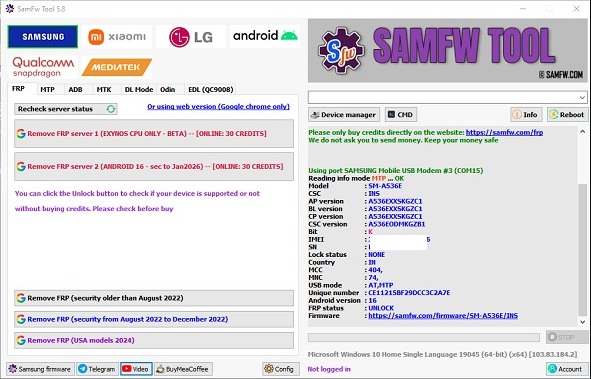
Image 1: SamFw Tool Interface
🚀 What's New in SamFw Tool V5.8?
Version 5.8 introduces several improvements that enhance compatibility, stability, and usability for newer Samsung devices.
- ✔ Fixed FRP Status Detection
Correctly detects FRP status on Android 15 and older devices. - ✔ Visual C++ Runtime Check
Automatically verifies Visual C++ installation before Exynos FRP operations. - ✔ Android 16 Compatibility Fix
Resolves incorrect "Unsupported Device" detection on selected Android 16 models. - ✔ Improved Stability
Several bugs have been fixed to improve overall software performance.
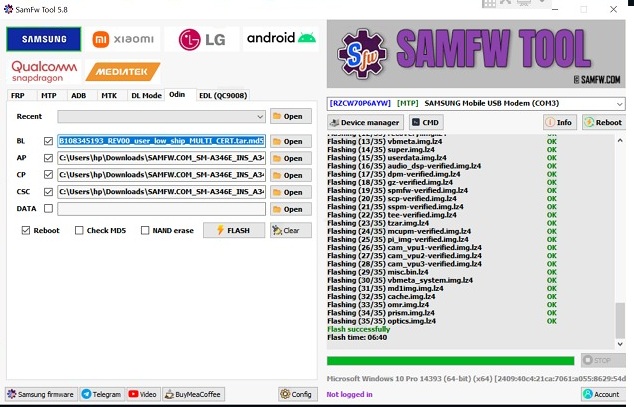
Image 2: Version 5.8 Changelog
📱 Samsung EDL Read Information
The new Samsung EDL Read Info feature allows technicians to obtain important hardware and software information directly from Emergency Download Mode (EDL). This helps identify supported models before performing advanced operations.
- Device Model
- Bootloader Information
- Chipset Details
- Partition Information
- Security Status
🔄 Factory Reset Samsung Devices
SamFw Tool includes a factory reset function that allows users to restore supported Samsung devices to factory settings quickly. This feature is especially useful for troubleshooting software-related issues or preparing a device for reuse.
🔓 Reset FRP (Factory Reset Protection)
The primary function of SamFw Tool is bypassing Google's Factory Reset Protection on compatible Samsung devices. It supports various Android versions and security patches depending on the device model.
- Android 10
- Android 11
- Android 12
- Android 13
- Android 14
- Android 15
- Partial Android 16 Support
⚡ Exynos FRP Support
Version 5.8 includes beta support for Samsung devices powered by Exynos processors. Compatibility continues to improve with each software update.
🌍 Multi-Brand Support
Although primarily designed for Samsung smartphones, SamFw Tool also includes several functions for other Android brands.
| Brand | Supported Functions |
|---|---|
| Samsung | FRP Reset, Factory Reset, EDL Read Info |
| Xiaomi | ADB & Fastboot Functions |
| LG | ADB Utilities |
📥 How to Install SamFw Tool
- Download the latest SamFw Tool package from the official website.
- Extract the ZIP file.
- Run SamFwToolSetup.exe as Administrator.
- Complete the installation process.
- Launch the tool as Administrator.
- Install Samsung USB Drivers if prompted.
- Connect your Samsung phone using a USB cable.
- Select the desired operation (FRP Reset, Factory Reset, etc.).
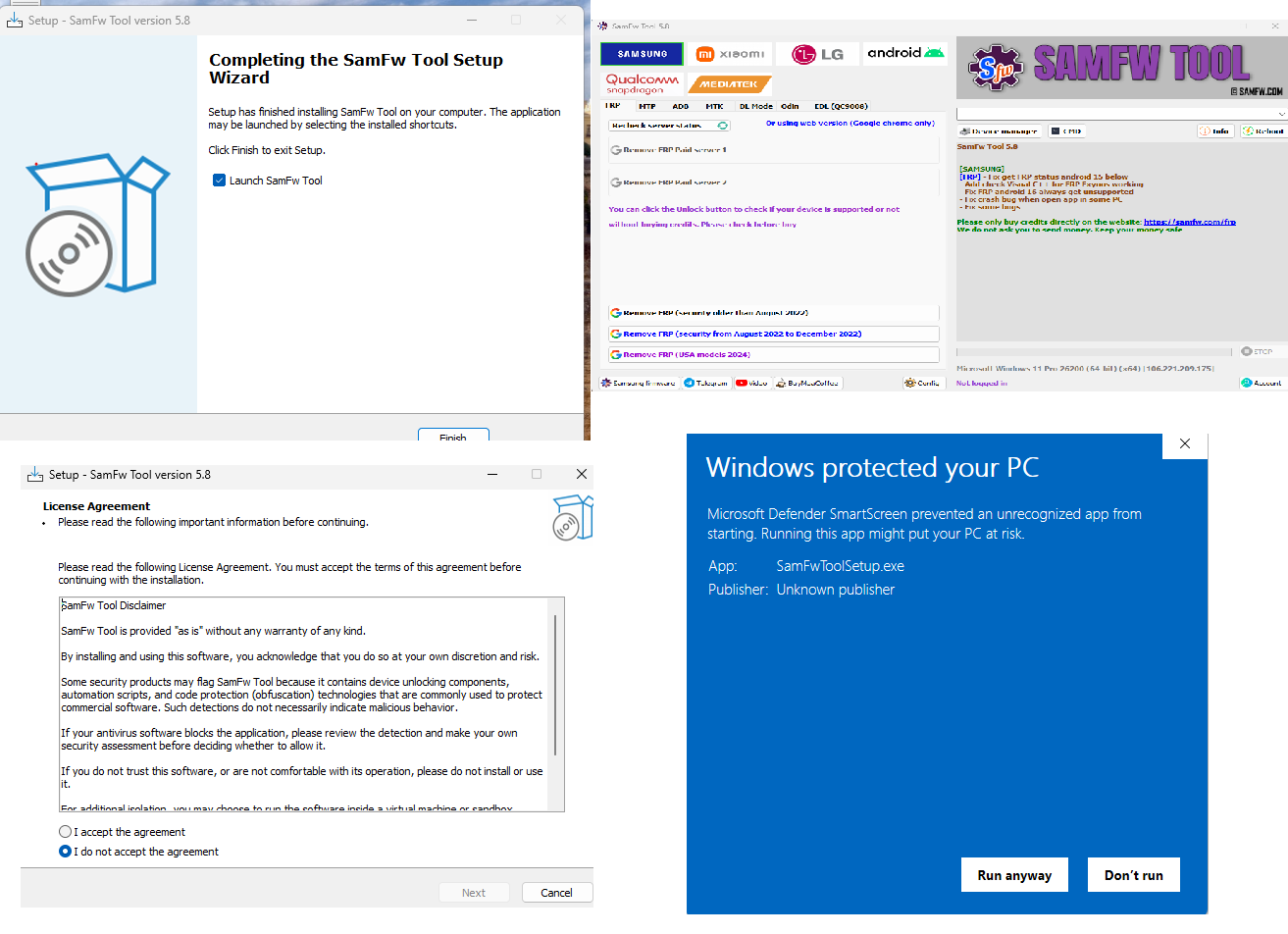
Image 3: Installation Process
⚠ Important Security Notice
Always download SamFw Tool from the official website to avoid modified software, malware, or fake activation credits.
Never purchase activation credits from unauthorized sellers or unofficial websites.
🙏 Credits
Special thanks to the developers of SamFw Tool for providing this powerful utility to the mobile repair community. Their continuous updates ensure compatibility with the latest Android security patches and Samsung devices.
📌 Conclusion
SamFw FRP Tool V5.8 continues to be one of the most reliable utilities for Samsung device servicing. With improved Android 16 compatibility, enhanced FRP detection, Exynos support, and additional maintenance features, it remains a valuable tool for repair professionals and experienced users working with supported Samsung devices.
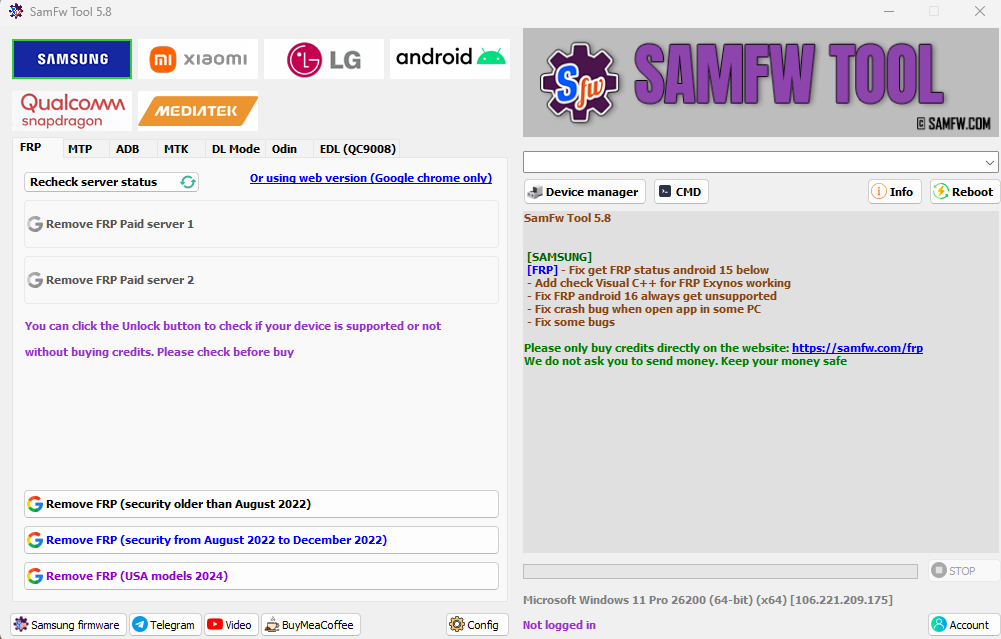
Image 4: Developer Disclaimer
Disclaimer
This article is provided for educational and informational purposes only. Factory Reset Protection (FRP) is an important security feature designed to protect device owners. Only perform FRP-related operations on devices that you legally own or have explicit permission to service. Always comply with applicable laws, manufacturer policies, and software license agreements.